-
Canon Picture Profile Workflow Update
EDIT: Updated with chart pics below - reposting this a 2nd time, hope it doesn’t disappear again…
It’s been a long time since my last post but I just wanted to share that I am no longer using RobsonDRMax Canon picture profile in my 7D. As I mentioned in my original comparison between my profile and Technicolor’s Cinestyle, they capture the same amount of dynamic range so there’s no gain there. In the end, it’s just faster for me to work with Cinestyle than my own profile mainly because my favorite piece of time saving software 5DtoRGB Batch has added Cinestyle LUT support as part of the transcoding options. If I’m in a rush I choose to convert to Prores using the Cinestyle option and if not then I transcode as is to Prores and grade the clips more carefully.
The other change I’ve made is I’ve started using Highlight Tone Priority for pretty much everything. I don’t know with what firmware update the vertical banding problem was fixed in video mode but it’s no longer visible at all. As well, I don’t feel the gain-like effects HTP has caused other photographers in video mode. It effectively adds 1 stop of badly needed dynamic range to my shots. It may be because I am using the brilliant VAF-7D filter for all video I shoot with the 7D but I haven’t checked with it removed to see if it’s related or not. Also I am only using 5DtoRGB transcoded Prores files (which upsamples chroma) not the camera masters. I’ll post new chart pics soon (they’re on my mac pro which I don’t have with me currently) but until then all I can say is there are 12 visible stops with HTP on using Cinestyle and the latest 7D firmware. 11 stops are usable, maybe all 12 for landscape grading at 320ISO. I get the same DR reading shooting my Gamma and Density backlit DR chart using canon log on our C300. Not surprising though, even with sharpening applied to the 7D clips in Premiere or Resolve it still can’t match the C300 for sharpness, color rendering and low light sensitivity but it is closer than you might think at 320 or 640ISO.
On Arrow we use 3 Alexas, a C300, 7Ds, and occasionally black edition GoPros during the multiple stunt sequences each episode. They cut together well (with careful grading) which is my point. Except on rare occasions I use the workflow outlined above for the 7D shots before I send them in to post.
Please test for HTP banding yourself before shooting anything important though, you may not get the same results. I only shoot at 320, 640, or 1250 ISO BTW. So for now my 7D is still alive and kicking, at least until the 7D MarkII is released later this year.
EDIT: Pics of chart added:


1. Above: 7D 320ISO 5600K HTP ON, Cinestyle profile, transcoded to Prores using 5DtoRGB with no post processing


2. Above: 7D 320ISO 5600K HTP OFF, Cinestyle profile, transcoded to Prores using 5DtoRGB with no post processing


3. Above: 7D 320ISO 5600K HTP ON, Cinestyle profile, transcoded to Prores using 5DtoRGB with Cinestyle LUT selected during transcode


4. Above: C300 850ISO 5600K Canon Log, camera master .MXF
Links for full res stills:
-
Assimilate Case Study: Halo 4 - Forward Unto Dawn
Check out Assimilate’s Halo4 Scratch Lab case study if you’re into that sort of thing. It was an awesome but very challenging project to be a part of. The best piece of advice I can pass on from this project (although not very exciting) is to have a 2K generator close by plus multiple high quality UPS units for those inevitable on set power failures. Nothing worse than a corrupt project file because of a hard shut down…
-
HDLink Pro Paperweights?

Over the last few months I have been reading about Blackmagic Design HDLink Pro LUT distortion problems in various places. I have 4 HDlink Pro 3Ds myself and use them mainly with Pomfort Livegrade. The thing is I haven’t been able to uncover the problem at all but then again I’m not using them with ICC calibration profiles. I don’t doubt Steve Shaw’s findings but for on set CDL / LUT generation the reported LUT distortion just doesn’t rear it’s head in my tests. More to the point, even if it is present I’d argue that it doesn’t matter as I only need any LUT processor / LUT export process to faithfully reproduce what I saw live later during grading. HDLinks do this well from what I can see. Here’s the method I use for testing any brand of LUT processor / LUT workflow.
First I feed a waveform / vectorscope, LUT processor (HDLink in this case), and a descent capture device an Epic Redlogfilm or Alexa Log-C signal. (Only tested HDLinks with these 2 cameras, any compatible signal will work.) Analyzing the signal, my Leader 5330 shows an extremely small (1-2%) shift toward green on the vectorscope and a 1-2IRE drop in luminance on the waveform between the direct camera signal and that same signal routed through a HDLink Pro in bypass mode. There shouldn’t be any shift whatsoever but it’s not a deal breaker for my application as it’s an easy adjustment to correct for.
Next I apply a LUT and capture the image. I use a Kona3G or a Decklink 3D compressing to ProresHQ or Prores4444. (Neither capture card shows any shift comparing pre and post card signal output FWIW.) The HDLinks are set to legal in, legal out. I then export the LUT out of Livegrade (or Linkcolor, 3cP) for either Resolve, Baselight, Scratch, or MTI (only systems I have tested this with) and apply the LUT to the Epic or Alexa master shot in one of those systems. Lastly on the same router as the color corrector output, I bring up the corresponding live captured Prores clip and overlay the 2 images.
In every case I see a 1-2% difference in color and luminance between what we had live and what the master media looks like with the exported LUT applied. Perhaps a 3-4% difference with extreme look LUTs. With legal -> legal live monitoring these levels also survive transcoding out to H264 or DNxHD, etc for dailies. To check that, I drop the dailies file onto a sequence and output to my 5330, then overlay the master and compare. Again, around a 1-2% level shift from the compression on average but this is still very close. Heavy compression (H264, MPEG2) will change your levels somewhat but these shifts are small and certainly less than was common just a few years ago. There are multiple reasons for this improvement which I won’t get into today but I will suggest to try and get everyone involved using VLC Media Player to watch dailies. Less chance of gamma issues and it’s cross platform.
Just to be clear I’m not saying HDLinks work for calibration purposes (never needed to use them in this way) but I can reproduce what was seen live in dailies consistently with HDLinks. BTW, I don’t think there’s many colorists that would use a LUT for anything more than a starting point reference for final grading - immediately clearing the LUT and recreating that look using better tools. Whenever possible I make stills out of the live prores captures and send them along as a fail-safe reference to what we saw live. I do hope Blackmagic releases a fix for the problem soon though so you poor bastards using ICCs can all plug your HDLinks in once again. I’ll update this as soon as I hear anything more on this.
-
Dualing Capture Cards

If you feel the need to use both Aja Kona and Blackmagic Design Decklink capture cards on the same system, I’ve had zero issues with having a Kona3G and a Decklink Extreme 3D installed on my Mac Pro simultaneously for the past 8 weeks using the latest drivers. This is not recommended all over the place but you can do it anyway because it’s a free country damn it. (At least I hope you’re in a free country…) I’ve been capturing 2 Alexa streams live - 1 per card - 5 to 6 days per week for 2 months using AJA VTR exchange and BMD Media Express programs. ProresHQ is the compression format I use most of the time. I’d use Cineform exclusively but I can’t select it as an option in Media Express. You can though in VTR exchange. And for anyone holding out for a new Mac Pro, keep in mind I’m using a 2009 2.93 8core model, 24GB RAM, Quadro4000 running Silverstack Set, Livegrade, Davinci Resolve 9 (background transcodes) and sometimes 5DtoRGB simultaneously without dropping a frame during captures. Activity monitor rarely makes it over 60% CPU load. To keep it quiet on set I use SMC Fan Control and while rolling use a minimum fan setting. Works great, sound mixer is happy but most of all don’t disregard older Mac Pro models just because of their age. They are very powerful machines for DITs. I had the Mac Pro handles cut off so it sits nicely in my cart’s rack.
-
Canon C300 & 7D v2.0 Dynamic Range
Don’t have time to elaborate too much as I have a super short night before call but here are some pics from my C300 / 7D DR test shot today. The chart is a Gamma & Density Trans-1 16stop backlit dynamic range test chart. I am as surprised as you are and assure you I didn’t miss anything on the C300 settings. Even though both cameras show 11 stops usable DR according to my chart (that is a very subjective statement of course - judge for yourself,) you can push the C300 further during grading because the S/N ratio is superior (much sharper / cleaner image) than the 7D. No surprise there but I fully expected the C300 to show at least 12 stops usable DR on this chart base on everything I had read online.
Sadly the v2 firmware update for the 7D does not affect video mode quality. All 7D shots below except for the CR2 stills were shot in movie mode (1080p23.98) and converted to Prores4444 using the awesome 5DtoRGB app before taking these frame grabs in Premiere CS5.5.
For the tests I simply hit record and opened and closed the iris on the C300 and 7D to cover extreme under and over-exposure scenarios. Once converted and imported into Premiere CS5.5 I scrubbed through the clips until I reached the moment where the 2nd brightest pluge was approximately a stop below the clipping 100IRE pluge. I then extracted these frame grabs:

Above: C300, 850ISO, 5600K, Canon Log unmanipulated file, Cooke 35mm S4 lens

Above: C300, 850ISO, 5600K, Canon Log pulled down to 0 IRE black and stretched to 100IRE white using setting shown for easier comparison to the 7D (Premiere CS5.5)

Above: 7D v2 firmware, 320ISO, 5600K, RobsonDRMax picture profile (contrast 0, sharpness 0, sat -2)

Above: 7D CR2 RAW, 320ISO, 5600K, max DR settings in Photoshop (Interesting to see what gets lost between RAW and video mode…)

Above: 7D CR2 RAW, 320ISO, 5600K, same still as above but with less gain / highlight recovery than above but still maintains usable DR from RAW

Above: 7D, 320ISO, 5600K, Neutral pic profile (contrast 0, sharpness 0, sat -2,)

Above: Arri Alexa, Sup5, 800ISO, 5600K, Log_C (The DR benchmark for now - 14 usable stops with no HDR mode)
Despite what the chart tells me I still like the C300 image in real shooting conditions. The 11 stops DR is still adequate in most situations and the camera is very sharp and holds up well with our Alexas. I’ll do a side by side between the C300 and 7D once my VAF-7D arrives in a few weeks to see how close post sharpening can bring the 7D to the C300 in real shooting conditions.
-
Canon Picture Profiles cont’d. - RobsonDRMax vs Flaat v3
As requested I finally shot my Trans-1 dynamic range chart using the Flaat10 v3, Flaat11 v3, and RobsonDRMax picture profiles on my 7D today. The camera settings were 5600K, 160ISO, HTP OFF, 1080p24, F2.8, 17-55mm F2.8 Canon lens, recommended settings used for Flaat profiles. Here are the results:

above: Flaat10 v3

above: Flaat11 v3

above: RobsonDRMax
I don’t see a huge difference between RobsonDRMax and Flaat11 in overall dynamic range (both 11 stops just like Cinestyle) with Flaat10 showing less detail in the blacks than the other 2 profiles. Flaat11 has slightly less highlight detail than RDRMax but it’s barley worth mentioning.
There is however an uncomfortably small spread with Flaat10 between 18-22IRE and Flaat11 between 25-30IRE that could present grading issues if a big percentage of your image consists of shadow detail. That one stop of picture information only has 4-5 IRE dedicated to it. Lastly I like the more neutral colours I get with my profile over the Flaats.
Test for yourself and choose the one that works best for your purpose although that’s not always easy as there are a LOT of profiles out there.
For DSLR media converting to Prores I can’t recommend 5DtoRGB enough.
For anyone wanting to breathe new life into their 7D for video I also can’t recommend enough the VAF-7D optical behind the lens anti-aliasing filter. I just received mine last friday and will be posting footage soon. Very impressed so far as it allows post sharpening benefits to the 7D’s natively low resolution video. Completely works as advertised.
Downloads:
You can download my RobsonDRMax profile here and the Flaat profiles here.
Full res frame grabs are available below:
http://dl.dropbox.com/u/55061736/Flaat10.tif
-
Cineform HD-SDI capture returns to Adobe Premiere
Another shorter than I’d like post but another night in turnaround on “Arrow”.
Back when I was the DIT on “Smallville” Season 8 I was using a program called ProspectHD from Cineform on Windows to capture live HD-SDI from our Panavision Genesis cameras for lighting reference, continuity reference, general playback, and insurance purposes. This was pretty groundbreaking stuff at the time but you had to use Premiere Pro CS3 on Windows XP 32bit (I tried all other available Windows flavours at the time with much disappointment) in order to get a usable capture and playback system without going uncompressed. This was all before Prores was released and before Avid DnxHD could be captured affordably. Cineform was the only premium codec choice if you wanted to record live compressed 1080 HD-SDI without significant image loss in the process. (MJPEG sucked as much then as it does now in terms of color and luminance shifts.)
CS3 was full of stability issues and the 32bit OS memory limit left me with frequent crashes during the worst times it seemed. Nevertheless it saved us from 8 full reshoots over the season due to HDCamSR deck issues or other issues such as a Preston signalling on the handset that we were rolling when the camera was on a crane but as it turned out all but the last take had rolled. SR tape was great but not without it’s problems.
Once Prores came out I switched over to Mac and never looked back as I was able to avoid the many XP / CS3 headaches. I ended up with years of hackintosh headaches but that’s another story. Nevertheless I always missed the comparatively smaller file sizes from Cineform over ProresHQ (for the same quality) and really missed capturing within Premiere’s interface for ease of making stills for the lab as references when applying LUTs to log footage.
However, I’m happy to report that with the latest AJA Kona drivers for OSX you can once again capture directly to Cineform from within Premiere Pro CS6. I tested it today and it works as expected. The only thing lacking is the ability to select Cineform compression settings in the AJA mov capture settings. The available default datarate is around 100Mbps which is a bit more compressed than I’d like but still excellent for general playback and lighting reference. As well Quicktime player is reporting millions (8bit) not millions+ (10bit) but that could be an error.
I’ll be switching over my macs on “Arrow” to Kona cards soon from Decklink cards . I’ll save disk space over ProresHQ and will be able to take advantage of the awesome metadata tools offered by the Cineform application Firstlight. Now if only I could run a Decklink (for Resolve) and Kona (for Cineform) at the same time on the same system…
-
“ARROW”
Currently shooting the 2nd Episode for “Arrow” and if you like action you’ll really love this series. We are carrying 3 Arri Alexas, a Canon C300 and 7D full time plus occasionally 2 Iconix cameras - barley enough to cover all the stunts!
It’s been very physical but that’s not a bad thing although I had to shed about half my DIT cart’s weight after the first week just to keep up with the pace and extreme locations. (The locations look awesome but I sure miss the horsepower!) No more Mac Pro, expansion chassis, 10GbE network, or 8bay RAID. Slimmed down to two 2011 17” Macbook Pros with preproduction Magma EB3T thunderbolt expansion chassis and a Promise thunderbolt raid. So far so good despite transcoding everything but the Alexas. As well I’m running up to 4 HDlink Pros and Pomfort Livegrade for LUT processing and am also recording up to 3 cameras live into ProresHQ via my Macs for look reference and insurance backup. For that I’m using a Blackmagic Design Decklink Extreme 3D card in the Magma chassis and an Aja IO Express with the “B” Macbook Pro.
For data management I’m using Pomfort Silverstack Set for the Alexas and Shotput Pro for any unsupported camera media.
When I get a chance I’ll be shooting my Gamma and Density Trans-1 16stop backlit dynamic range chart with the Canon C300 to see how the claimed 12 stop DR holds up. (See this post for an Alexa screen grab of this chart, and this post for 7D screen grabs of the chart.) So far it looks really good on set but I do think it’s overpriced. If I can get my hands on a Sony FS700 I’ll be shooting the Trans-1 with it as well.
-
“HALO 4: FORWARD UNTO DAWN”
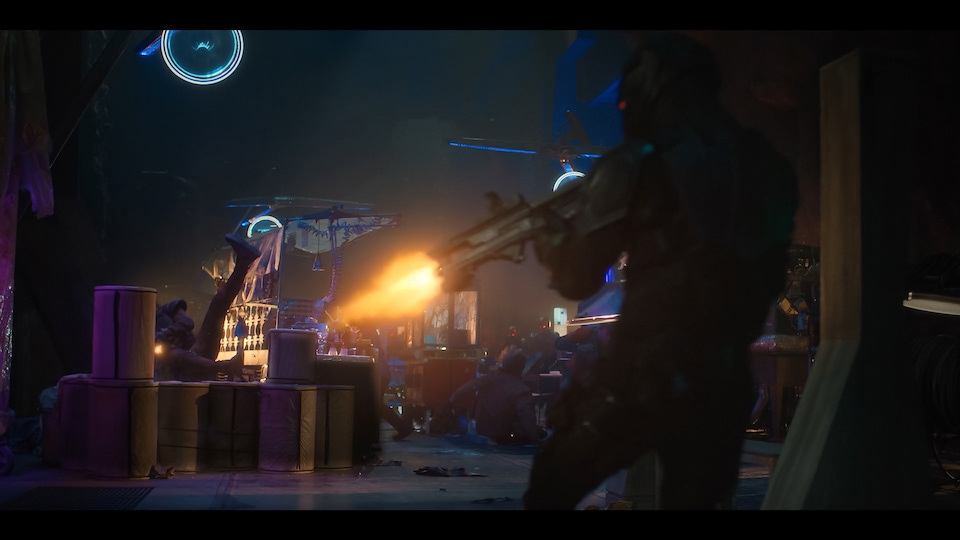
This one was tough but with awesome results! Shot on 2 Red Epics and 1 Red One. Scratch Lab dailies with multiple deliverables. Lots of high speed, lots of nights, lots of C camera. Had 2 x 18TB RAID6 fibre arrays attached to a 12core Mac Pro. Could have used another Red Rocket for sure. Had a half million frames in the queue at one point - puke. Hopefully the first of many for the Halo franchise. So glad to have been a part of it.
Elsewhere